logo
  • Bahasa Melayu
  • 中文
  • Home
  • Our Branches
  • Services
    • Parcels
    • Cartons
    • Pallets
  • Tracking
  • Contact Us
  • Login / Sign Up
  • Bahasa Melayu
  • 中文
  1. Home
  2. Articles
    • Branch Info
    • FAQ
    • services
    • General enquiry
    • Guide
  3. Guide
  4. How to Print Shipment Invoice
  • Branch Info

    • Sendy Express Malaysia

    • Sendy Subang Jaya

    • Sendy Taman Malim Jaya Melaka

  • FAQ

    • FAQ - Company Info

    • FAQ - Shipping Info

    • FAQ - Tracking Info

    • FAQ - Compensation Info

    • FAQ - Payment Info

    • FAQ - Parcel Info

  • services

    • Sendy courier express services

    • Sendy logistics service

  • General enquiry

    • Prohibited Items List

    • How to Make Payment

  • Guide

    • How to Create Shipment

    • How to Print Shipment Invoice

    • How to Track Parcel

    • How to Print Shipment Label

    • Payment for Unpaid Shipments

    • Delete Unpaid Shipments

    • Warehouse Fulfilment Service

    • How to Submit Enquiry

    • How to Submit a Complaint

    • Shipping Rate Plan

    • How to Top Up Wallet

    • Print Receipt

How to Print Shipment Invoice

03 May 2022
1109 views
中文 CN
  • Bahasa Melayu
  • 中文
How to Print Shipment Invoice


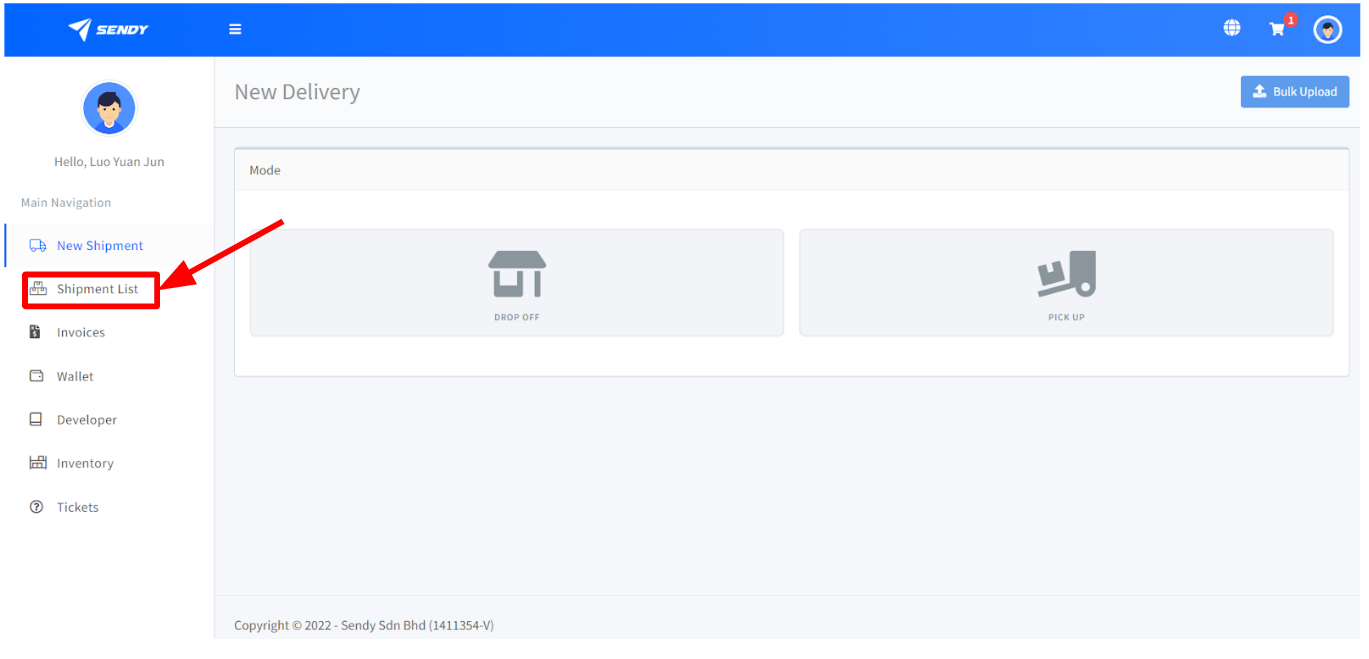
Step 1 : Go to Shipment List

l  After logging in, click on the Shipment List Button


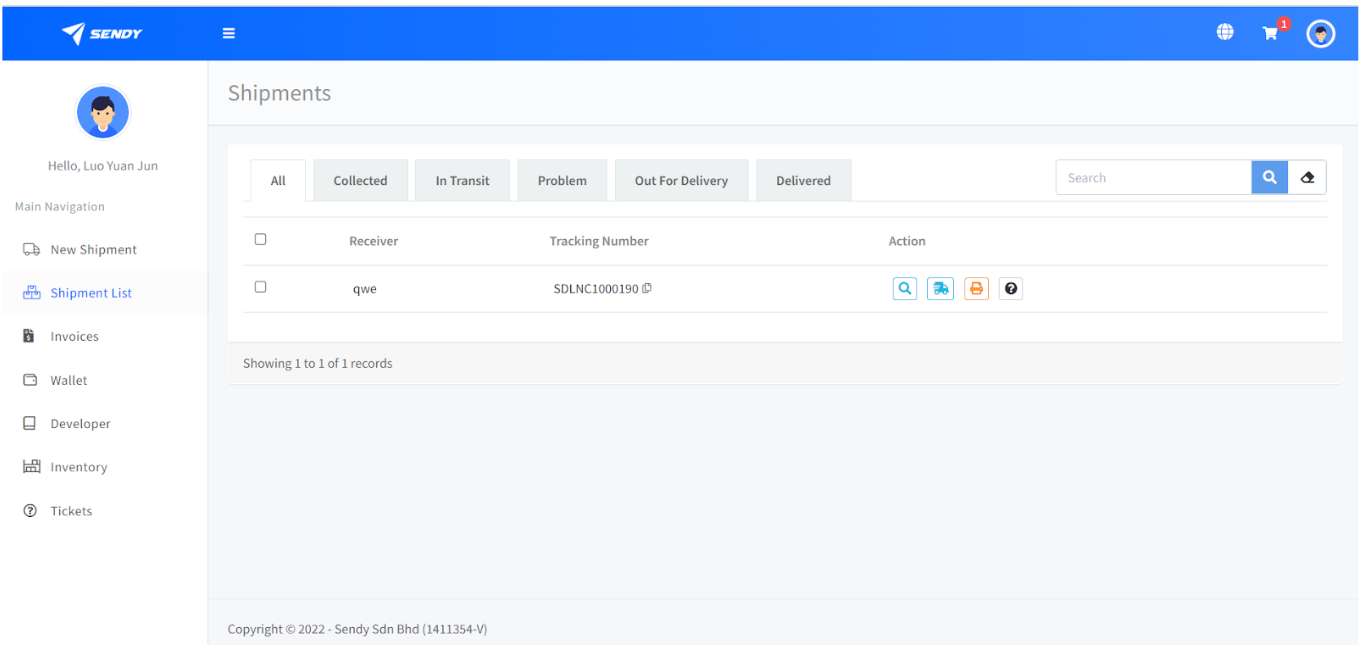
l  Once clicked on, you will be directed to this page

l  In here, you will see a lists of shipment created


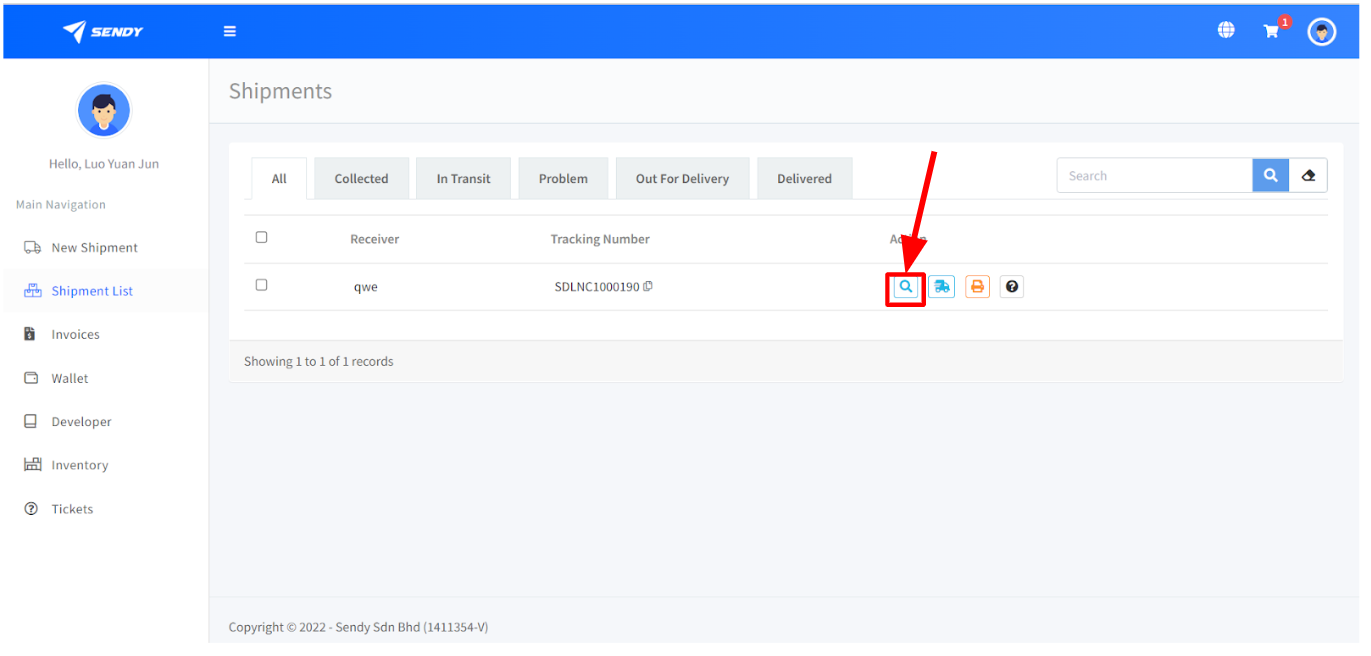
Step 2 : View Shipment

l  Click on the view Shipment Action Button


l  Once clicked you will be directed to this page
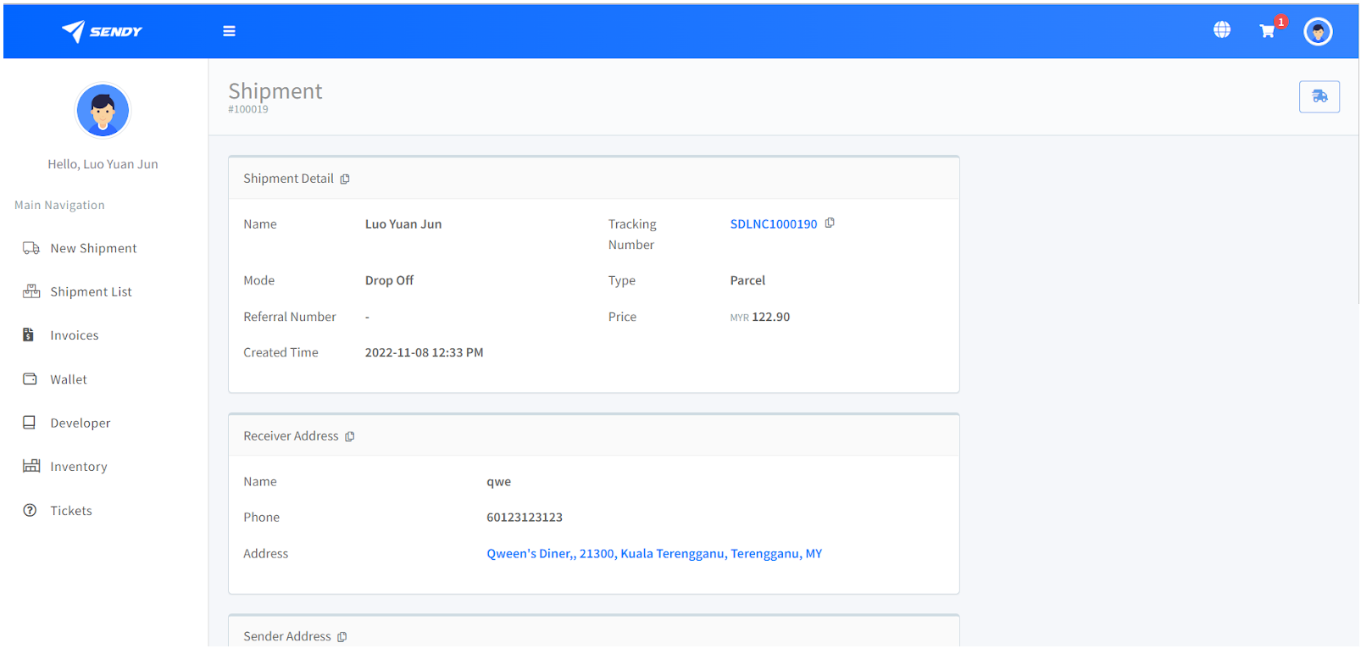


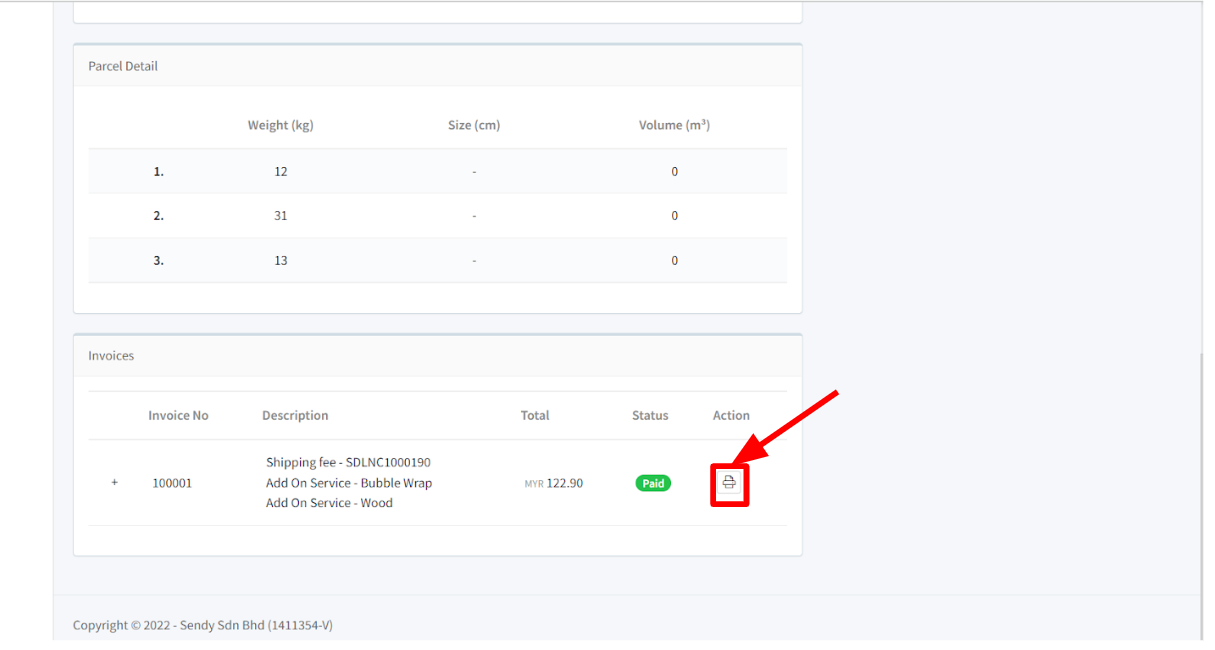
Step 3 : Print Invoice 

l  Scroll down to find Print Invoice Button and Click it
 

logo

Sendy Sdn Bhd

Your trusted logistics for parcel delivery, warehousing, and business logistics across Malaysia

Company

About Us

Privacy Policy

Terms & Conditions

Services

Parcels

Cartons

Pallets

Contact Us

+60168038575

+60168038575

[email protected]

SST No. J31-2406-38000069
切换中文 Tukar kepada Bahasa Melayu